



Whether it is a phone call, email, in-person conversation, or missed message, StriveDB gives you an easy way to log every contact with a survivor. These records form a detailed communication log for each client and help keep everyone on the same page across the team.
This post walks you through how to log contacts quickly, how they connect to follow-ups, and how staff with restricted permissions can still contribute.
What Are Contacts in StriveDB?
Contacts are logged any time you have an interaction related to a client. This includes:
- Phone calls (inbound or outbound)
- Emails or text messages
- In-person or video meetings
- Missed calls or voicemail
You will find the Contacts section under the Advocacy tab, but you do not have to go there to log one. StriveDB is built for convenience.
Quick Ways to Log a Contact
You can start logging a contact in two main ways:
- From the top bar: Use the "Log Contact" button from anywhere in the system.
- From a client's page: You will skip the step of selecting a client because it is already implied.
When logging a contact, you will fill in:
- Client (if not already selected)
- Type of contact (phone, text, email, etc.)
- Date/time of interaction
- Category (such as admin, case management, or counseling)
- Notes about what was said or done
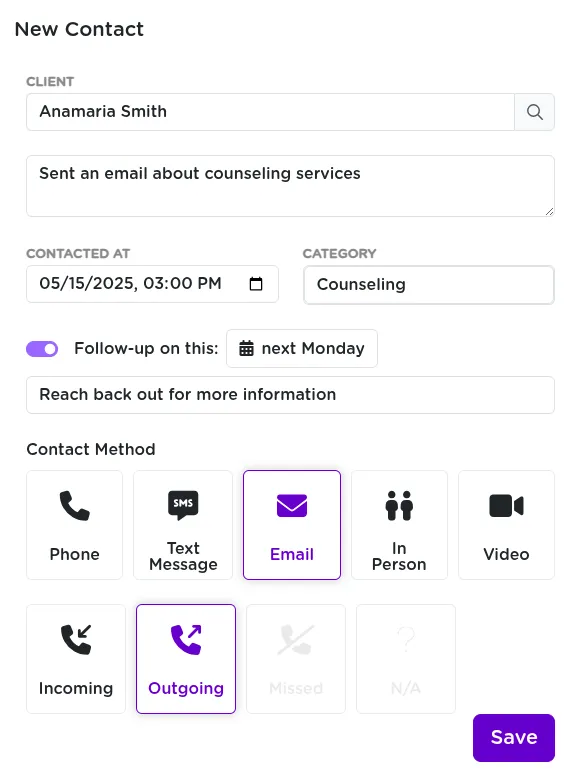
Creating a Follow-Up from a Contact
Missed a call or need to loop back? StriveDB lets you create a follow-up right from the contact form. You can:
- Set a due date for the follow-up
- Assign it to yourself or another staff member
- Automatically add it to your Inbox follow-up list
Follow-ups created this way link directly to the contact, so you can track what needs to happen next.
Reviewing the Contact Log
After saving, you will land on the edit page for the contact you just logged. From there, you can:
- Review your notes
- View or edit the linked follow-up
- See the full communication history from the client's profile
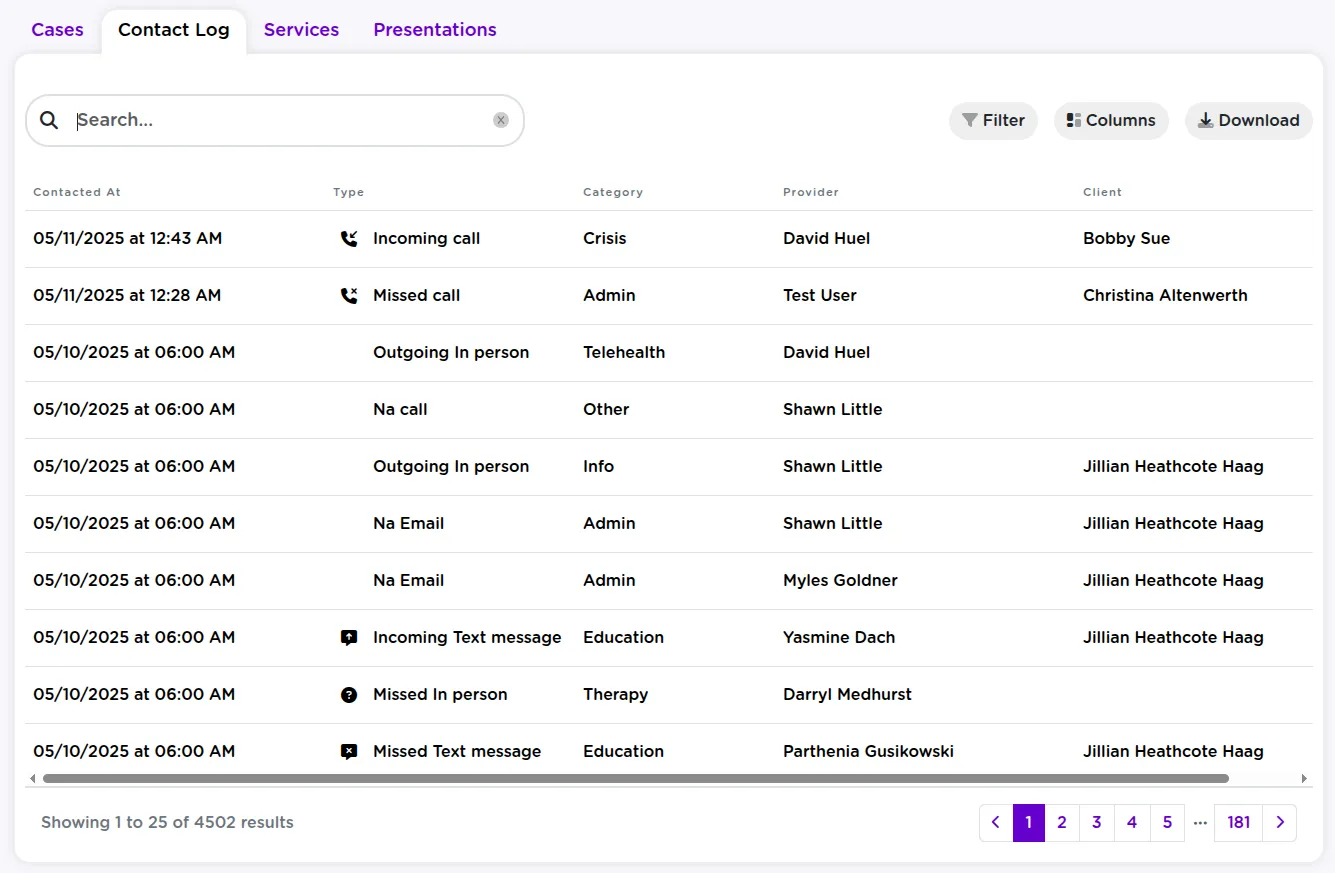
Each client's profile includes a Contact Log -- a complete history of every interaction logged by your team.
Logging Contacts Without Full Client Access
Some users -- especially hotline volunteers -- may not have permission to view or search client records. They can still log contacts securely:
- Enter a name or reference (such as "Bobby Sue")
- Fill out the rest of the contact form as usual
- The contact will be saved without being tied to a known client
Later, someone with full access can match the contact to the correct client in the system.
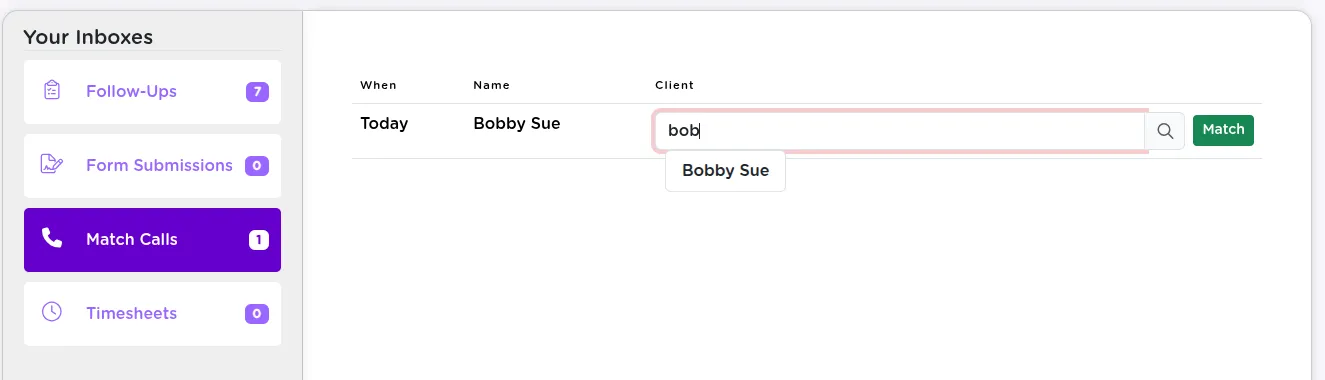
This allows volunteers to document work while protecting survivor privacy and limiting access to sensitive data.
Key Takeaways
Contacts in StriveDB are designed for speed, clarity, and safety. Whether you are logging an urgent call, making a routine update, or assigning a follow-up, the contact system helps your team stay coordinated and survivor-centered.